Appearance

Visual style

Mode
Theme
Accent
Advanced
Text sizeScales the whole site
16 px
Reduce motionReduce animations or match your system
Separate light and darkChoose a theme, accent and font for each
50

Technology · Motion & 3D

Three.js and WebGL development

Three.js is an open-source JavaScript library that wraps WebGL (and, increasingly, WebGPU) in a scene graph of cameras, lights, meshes and materials. Its documentation and examples cover geometry, physically based materials, loaders for formats like glTF, and post-processing.

In practice

How I use Three.js

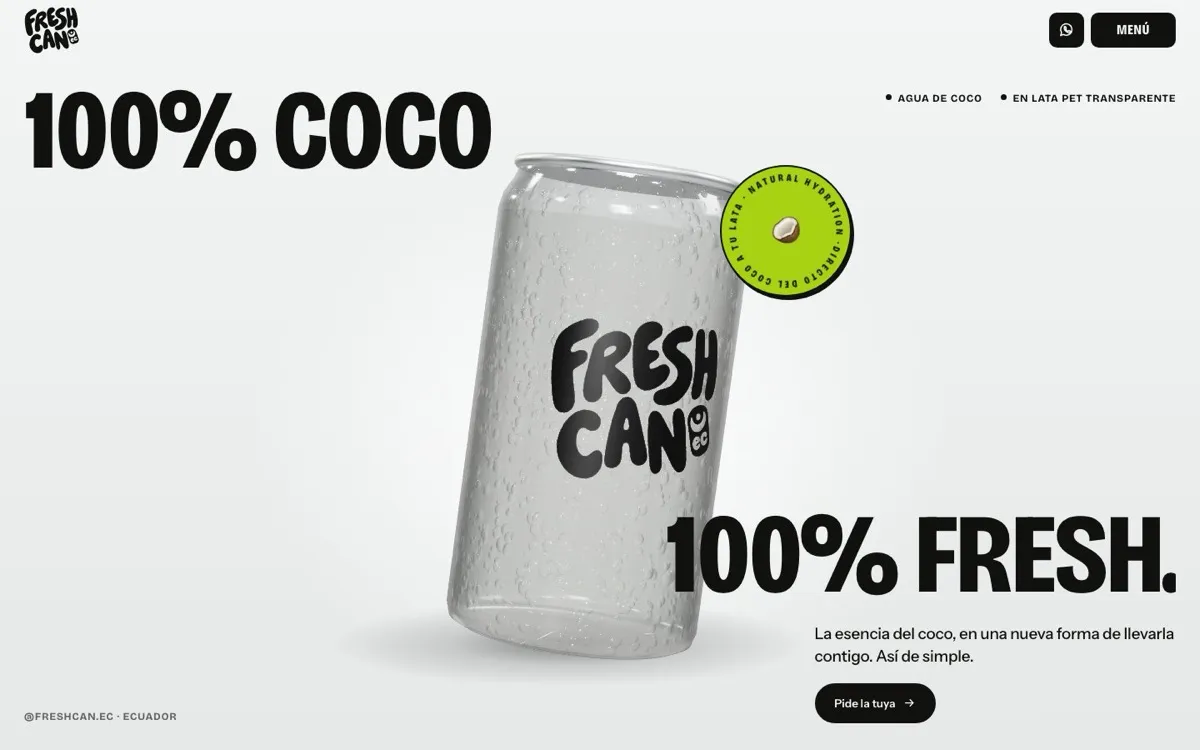
On the Fresh Can concept site I built the hero product as a procedural Three.js model: a clear PET can with cloudy coconut water, an aluminium lid and the traced logo. Scroll drains and refills the can, and the three size formats share a single WebGL canvas. For AutoViz, 3D and AR product views use Google's model-viewer component rather than a custom Three.js scene.

A procedural product model

The Fresh Can model is generated in code rather than loaded from a file. The can’s body is a lathe profile based on a standard 330 ml can (66 × 122 mm), and other formats scale that body. The liquid is a separate mesh whose level is a single parameter, which is what lets scroll “drain” the can. Building it procedurally kept the 3D payload to code instead of a multi-megabyte model file.

Sharing one WebGL canvas

The format cards (250, 330 and 500 ml) share one WebGL canvas with multiple render slots instead of creating three renderers. WebGL contexts are a limited resource on mobile browsers, and one context means one set of GPU resources to manage and dispose.

Loading 3D without slowing the page

  • The 3D module is lazy-loaded; the page renders its content and imagery first.
  • A static image stands in until the scene is ready, and permanently if WebGL is unavailable.
  • Under prefers-reduced-motion, the can stays still.
  • Resources are explicitly disposed when a section unmounts.
// Illustrative: level-driven liquid, the core of a scroll-linked "drain"
export function setLevel(level: number) {
  const h = THREE.MathUtils.clamp(level, 0, 1) * LIQUID_MAX;
  liquid.scale.y = Math.max(h, 0.001) / LIQUID_MAX;
  liquid.position.y = h / 2;
}
Trade-offs

Where Three.js shines, and where it doesn't

Strengths

  • Full control over materials, lighting and interaction, so a product can look exactly like its packshot.
  • Procedural geometry avoids shipping large model files for simple shapes.
  • Mature ecosystem: glTF loaders, physics, post-processing, React bindings.

Limitations

  • Expensive on low-end phones; needs lazy loading, device-aware quality and a static fallback.
  • Custom scenes take far longer than a ready-made viewer. For standard 3D/AR product views, model-viewer is often the better choice.

Sources

Official documentation

General descriptions on this page are based on the official documentation linked below. Experience notes are my own.

FAQ

Three.js questions

When does a website need Three.js instead of video or images?

When the visitor's interaction changes what they see: rotating a product, choosing a size or colour, or a scene that responds to scroll. If the motion is the same for everyone, a well-compressed video is cheaper and more reliable.

Three.js or model-viewer for product 3D and AR?

model-viewer is a web component that displays glTF models with orbit controls and AR on supported phones with very little code. Three.js is for bespoke scenes. I reach for model-viewer first for standard product views and Three.js when the brief needs custom behaviour.

Does Three.js work well on mobile phones?

It can, with care: modest polygon counts, compressed textures, a capped device pixel ratio, one WebGL context where possible, lazy loading, and a static image fallback. Without that discipline, 3D scenes drain battery and stutter on mid-range phones.

Need a Three.js developer?

If your project needs Three.js, send a short description of what you're building and where it's stuck. I'll reply with how I'd approach it.