Appearance

Visual style

Mode
Theme
Accent
Advanced
Text sizeScales the whole site
16 px
Reduce motionReduce animations or match your system
Separate light and darkChoose a theme, accent and font for each
50

Service · Websites, Web Applications & SaaS

Custom web application development

I build custom web applications: admin and seller dashboards, customer portals, internal tools and SaaS products. That means authentication and roles, typed APIs, data-heavy interfaces that stay fast, and an architecture that can keep changing after launch without a rewrite.

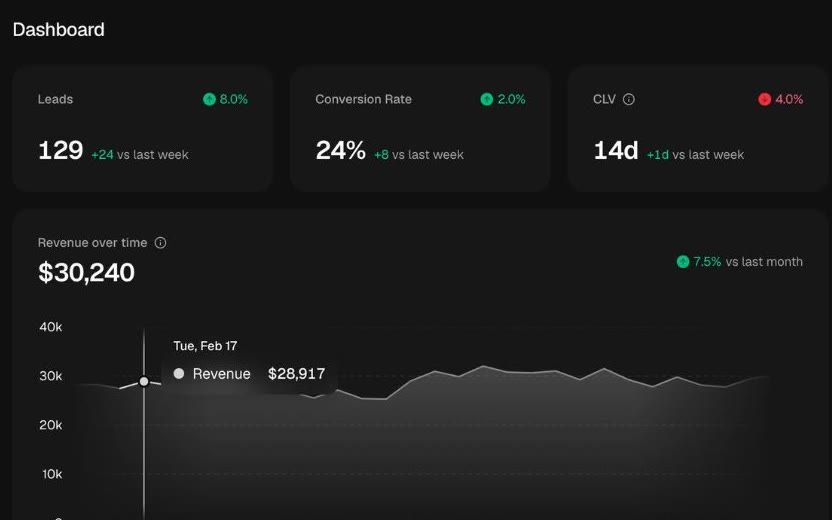
Dark web app dashboard with lead, conversion and revenue metrics
Reference · Web app dashboard

Who it's for

Where web application development pays off

  • A team running on spreadsheets

    Orders, bookings or stock tracked across sheets and chat threads. A purpose-built tool gives one source of truth, permissions and an audit trail.

  • Customers who need self-service

    A portal where customers or partners see their orders, documents or status without emailing you.

  • A SaaS product, from idea to first customers

    Authentication, subscriptions, a usable core workflow and the admin tools you need to support paying users.

What's included

Capabilities and features

  • Authentication and roles

    Sign-in, sessions and role-based access, enforced on the server and in the data layer, not only hidden in the UI.

  • Data-heavy interfaces

    Tables, filters, search and bulk actions that stay responsive, with server state cached and invalidated correctly.

  • Typed APIs

    REST or GraphQL APIs with validated inputs and shared types, so frontend and backend can't silently disagree.

  • Operational tooling

    Admin views, support queues, review moderation and reporting: the screens that make a product supportable.

  • Subscriptions and billing

    Stripe or regional payment providers, with webhooks handled server-side and idempotently.

  • Built for change

    Component and container separation, a layered backend and end-to-end tests, so new features don't break old ones.

Architecture I use for applications

Most of my application work shares a structure that keeps it maintainable as it grows:

  • Frontend: Next.js with Server Components for data-backed pages, Client Components only for interactive pieces, and TanStack Query for server state in dashboards. Presentational components never fetch data.
  • API: a typed service layer, either GraphQL over Postgres via Hasura for data access with declarative permissions, or Hono APIs with Zod validation for workflows with side effects such as payments.
  • Data: Postgres, with permissions modelled explicitly per role.
  • Delivery: Cloudflare Workers, deployed to staging and promoted to production from CI.

Making dashboards fast

People use operational dashboards all day, so small delays add up. Four things help most:

  1. Server-side pagination and filtering instead of loading everything into the browser.
  2. Cached server state with background refetching, so returning to a list is instant.
  3. Optimistic updates for small, reversible actions, with rollback on failure.
  4. URL-driven filters, so a filtered view can be bookmarked or shared with a colleague.

Evidence

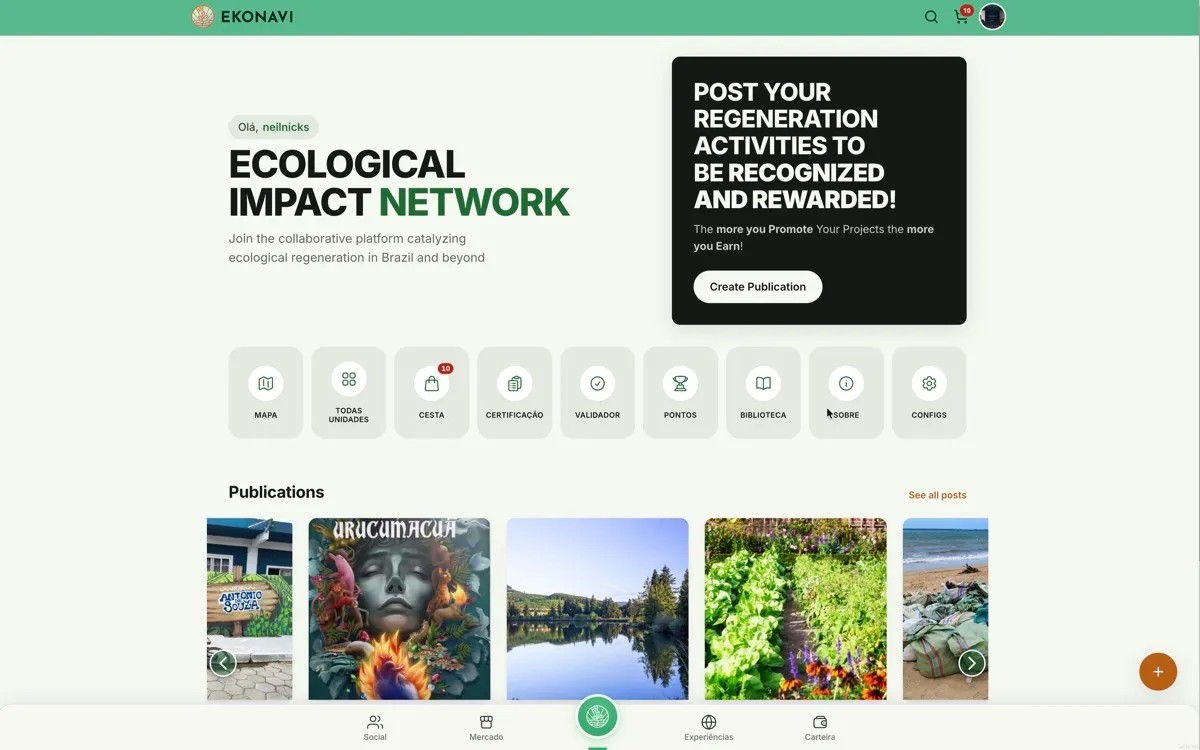
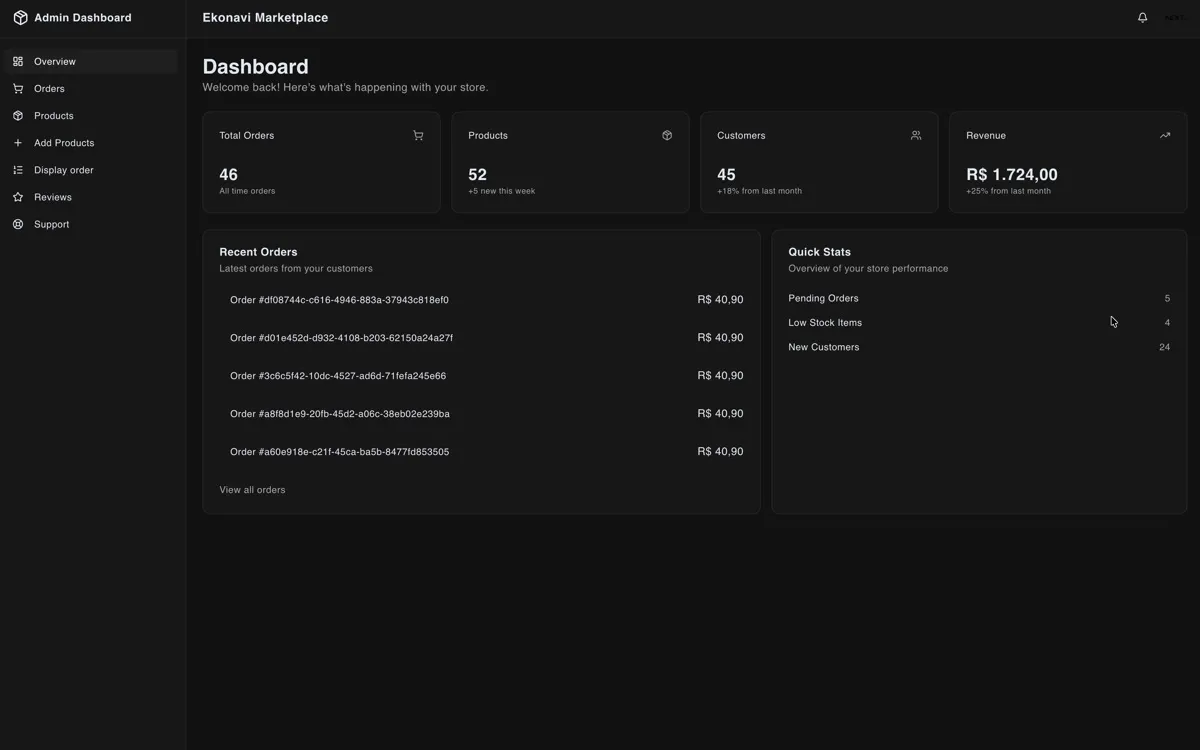
The Ekonavi marketplace’s seller dashboard is a production example: orders, products and inventory, storefront ordering, review replies, support tickets and live store stats, over a Hasura GraphQL backend on Cloudflare Workers. Other projects below show earlier work, including a PDF summarisation SaaS prototype with authentication, subscriptions and rate limiting.
Approach

How a web application development project runs

  1. Workflow mapping

    Who uses the application, what they do every day, and which steps are slow or error-prone today.

  2. Data model and permissions

    Entities, relationships and who can see or change what. Getting this right first prevents most later rewrites.

  3. Vertical slices

    One complete workflow at a time (UI, API, data, tests), deployed to staging so you can use it early.

  4. Hardening and launch

    Error handling, empty states, performance on real data volumes, monitoring and a staged production rollout.

FAQ

Web Application Development: common questions

When does a business need custom software instead of an off-the-shelf tool?

When your workflow is a competitive advantage, or when you are paying for several tools and gluing them together by hand. If an existing product fits 90% of your process, use it. If you keep bending your process to fit the tool, custom software usually pays for itself.

What is the difference between a web application and a SaaS product?

A SaaS product is a web application sold to many customers on a subscription, which adds multi-tenancy, billing, onboarding and support tooling. A custom internal application serves one organisation and can skip most of that.

Can you take over an existing application?

Yes. I start with a short audit of the codebase, deployment and data model, then recommend whether to stabilise and extend it or replace parts of it. I don't recommend rewrites by default.

Which stack do you use for web applications?

Usually Next.js and TypeScript on the frontend, with a typed API in Hono or a GraphQL layer such as Hasura over Postgres, deployed on Cloudflare Workers. The stack adapts to the team that will maintain it.

How do you handle user roles and permissions?

Roles and what each can see or change are modelled before the UI is built, then enforced on the server and in the data layer, not just by hiding buttons. On data layers like Hasura, row-level rules guarantee, for example, that a seller only ever sees their own orders.

Have a workflow that deserves better software?

Describe who uses it and what slows them down today. I'll suggest a first slice that would make a difference quickly.